Teams and access
Role-based access, per-brand business-unit segmentation, and WorkOS-backed identity for controlling who sees and acts on your attack surface.
Aether AI gives an organisation fine-grained control over who can see findings, who can comment on them, and who can act on the attack surface. Access is role-based, it can be scoped per brand, and identity is handled by WorkOS so provisioning and sign-in follow the standard your organisation already uses.
Why this matters
An offensive security platform touches sensitive material: live exposures, compromised credentials, and validated paths an attacker could take. Different people need different depths of that picture. A risk owner needs to read and discuss, an engineer needs to act, and an external stakeholder should see only what concerns them. Getting access right keeps the right people informed without widening the blast radius of that information, and it lets a large organisation delegate work without handing every team the keys to everything.
Roles
Every member of an organisation holds a role that sets what they can do. The roles are cumulative in the obvious way: each one adds capability over the one below it.
Viewer
A viewer can read the attack surface, findings, and reports. They cannot change anything. This suits risk owners, leadership, and anyone who needs visibility into exposure without operating on it.
Commenter
A commenter can do everything a viewer can, and can also participate in finding threads, adding context, questions, and remediation discussion. This is the natural role for stakeholders who are part of the conversation but do not run the work.
Operator
An operator can act on the platform: driving findings through their lifecycle and operating the attack surface. This is the role for the people doing the hands-on security and remediation work.
Guest
A Guest is a deliberately narrow role for people outside the core team who need limited, scoped visibility rather than full membership. It keeps external or occasional participants confined to what they have been given access to.
Delegating without losing oversight
Roles let an organisation delegate the day-to-day work to operators while keeping leadership and risk owners as viewers or commenters, so the people accountable for risk stay in the loop without being able to accidentally change finding state.
Teams: business-unit segmentation
Large organisations rarely run a single, flat attack surface. A parent organisation often owns several brands or business units, each with its own assets and its own people. Teams is Aether AI's answer to that shape: a way to slice the surface per business unit, give each unit's people access to only their slice, and keep the parent's top-down view across all of it.
Why you would set this up
Without segmentation, everyone with access sees the whole surface. That is fine for a single team, but it breaks down for a group with several brands or subsidiaries. The security lead for one brand should not be reading another brand's live exposures, a contractor brought in for one business unit should be boxed into it, and a newly acquired subsidiary should be onboarded without opening the rest of the organisation to its people. Teams gives you that separation without standing up a separate account per brand, and without losing the central, top-down view the parent security function needs.
Top-down and BU-level access
Two things combine to produce this: a person's org-level role, and the teams they belong to.
- Top-down is the role. Admins and Members are the central security function, and they always see everything, every business unit, every asset, every finding. This is the parent view, and it is never narrowed by teams.
- BU-level is the team. A scoped member sees only the teams they have been placed in, and within a team only that team's assets and the findings on them. Nothing else in the organisation is visible to them.
A person's role sets what they can do; their team membership sets where they can do it. An operator on one brand does not become an operator on another, because their scope is the team, not the whole organisation.
Setting up a business unit
From Settings, then People & Access, open the Teams tab. The flow is three steps.
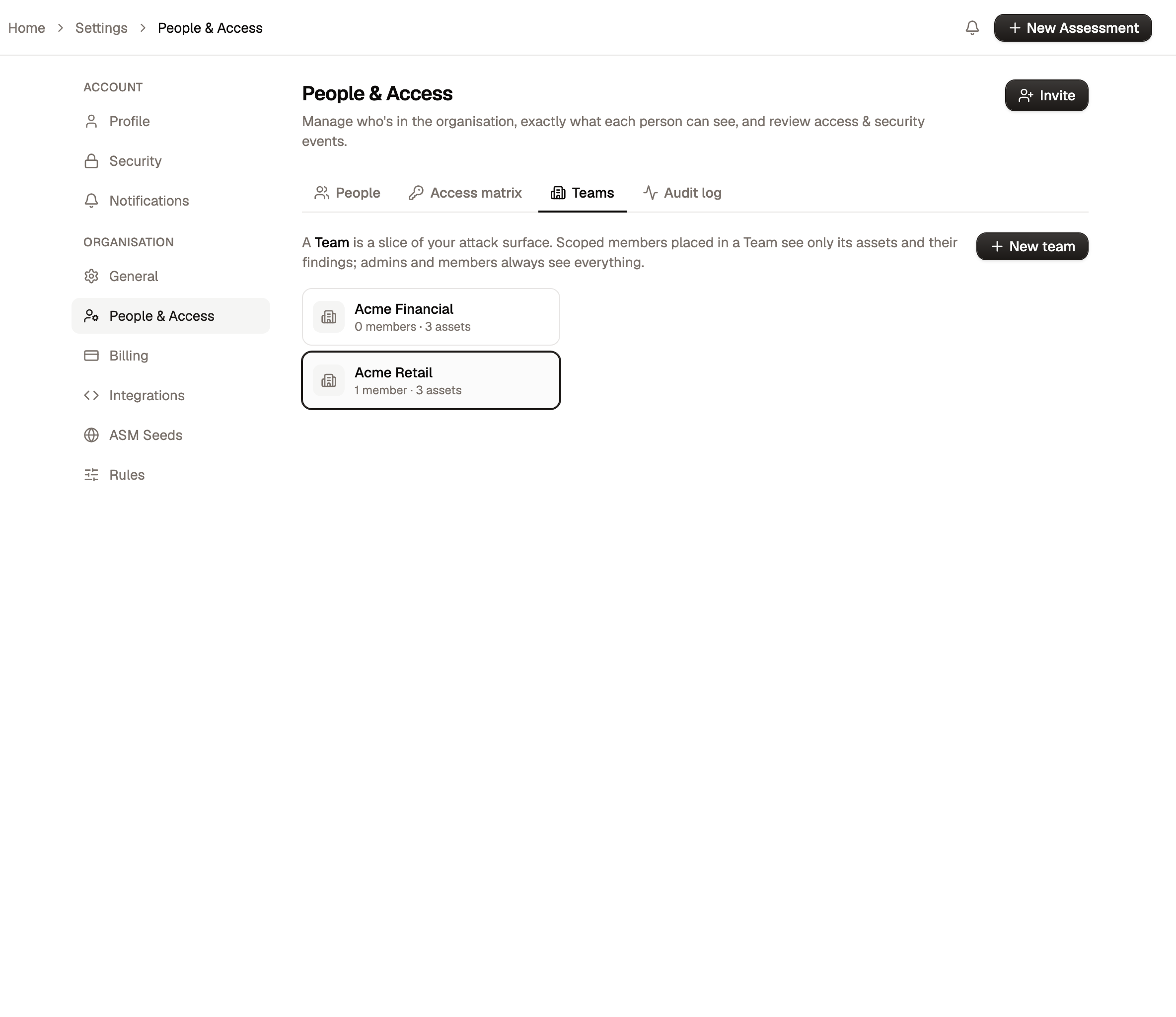
- Create the team. Use New team and name it for the business unit or brand.
- Tag the assets it owns. Add the domains, subdomains, IPs and cloud resources that belong to that unit. You can tag them by hand, or let auto-tag rules do it: a rule (managed in Settings, then Monitoring Rules) assigns any asset matching its conditions to the team automatically, so a new asset lands in the right business unit as it is discovered.
- Add the scoped members. Add the people responsible for that unit as scoped members, each at an access level (Viewer, Commenter or Operator). They now see and act on only that unit's slice.
Your central security team stays as Members or Admins, so they keep the top-down view across every business unit while each scoped member stays boxed into theirs.
Auto-tagging keeps segmentation current
Tagging assets by hand works, but a large estate moves constantly. Auto-tag rules keep each business unit's scope accurate as the surface changes, so a newly discovered subdomain is assigned to the right team the moment it appears rather than sitting unassigned until someone notices.
Identity, backed by WorkOS
Identity in Aether AI is backed by WorkOS. Sign-in, membership, and directory concerns run through WorkOS rather than a bespoke login of Aether AI's own, so access to the platform lines up with the identity provider and directory your organisation already runs.