Running a cloud pentest
Point the autonomous agents at an AWS account with read-only credentials and get a truthful answer to what an attacker with a foothold could actually reach.
A cloud pentest turns the autonomous AI pentest on a cloud account. Instead of a web application or an IP, the target is your AWS account, and the agents reason about it the way an attacker who already had a foothold would: which roles are over-privileged, what a compromised identity could pivot into, which storage or secrets are exposed, and where the account's own configuration hands an adversary the next step. It is read-only and non-destructive throughout, so you get the attacker's map of the account without anything in it being changed.
Connect the account
A cloud pentest reads your account through a connector, so the first step is to connect it once. Go to Settings, then Organisation, then Integrations, and connect Amazon Web Services. You provide access keys for an IAM identity, Aether AI validates them, and the connected account is stored against your organisation.
Use a read-only, least-privilege identity. AWS's managed SecurityAudit or ViewOnlyAccess policy is exactly the right shape: it lets the agents enumerate and reason about the account's configuration without any ability to modify or delete. The credential is stored encrypted, and the connection carries the account id as provenance so every finding traces back to the exact account it came from.
Read-only is the whole point
The agents assess an account by reading its configuration, not by acting on it. A least-privilege read-only key means the assessment can never change, provision, or remove anything in your environment. It also means you can authorise a cloud pentest without handing over the keys to your estate.
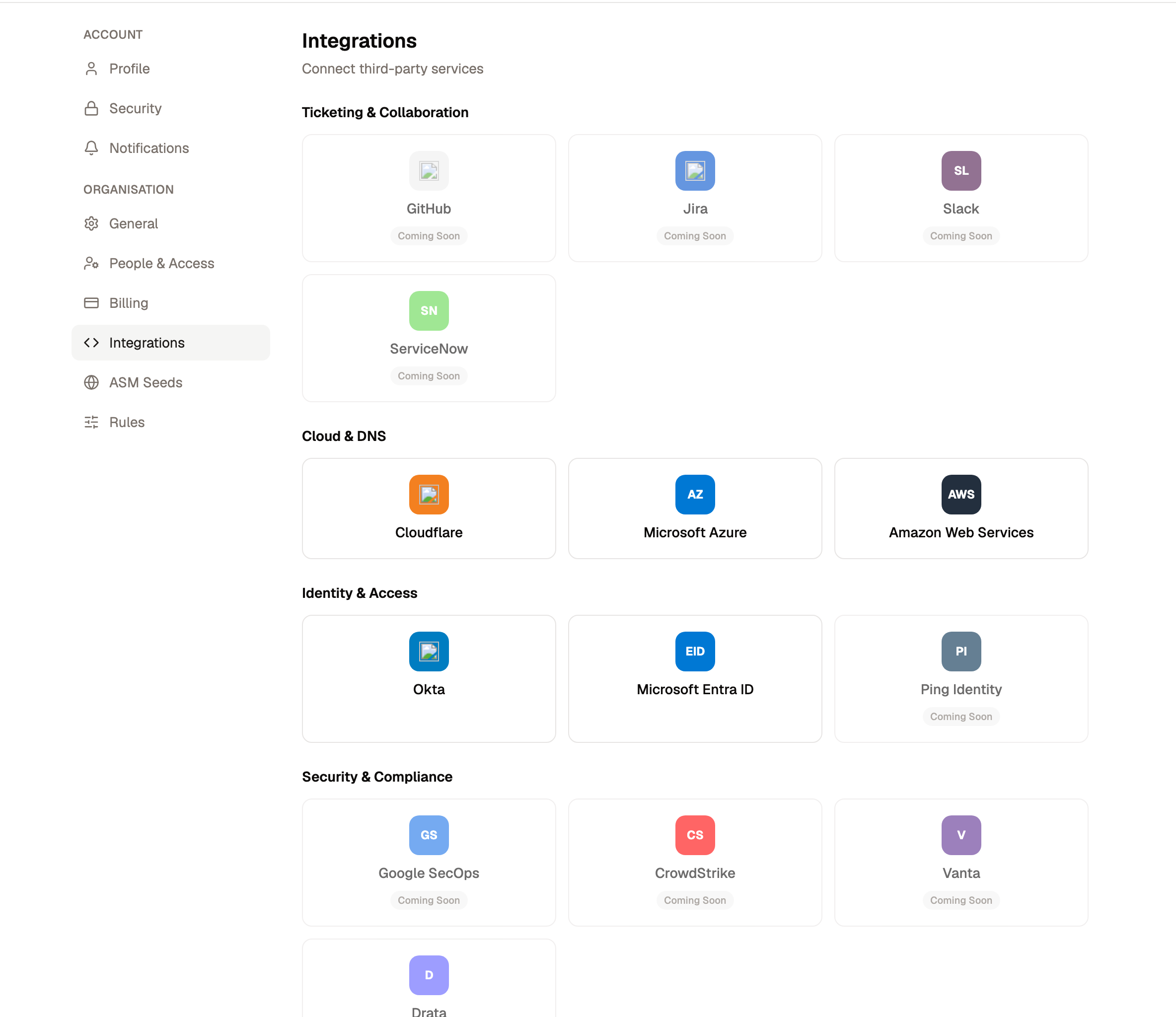
The same connection also enriches your attack surface: once an account is connected you can optionally sync its domains and cloud resources into the surface as discovered assets. That enrichment is independent of the pentest, and neither one enrols anything into a paid monitoring tier on its own.
Start the assessment
Begin a new assessment and choose the Cloud target type. Pick the AWS account you connected, select the tier, and confirm. There is no need to paste keys again: the assessment resolves the read-only credentials from the connected account automatically, so the agents start with exactly the access you authorised and nothing more.
From there the assessment behaves like any other. It is heavier and slower than a commodity check because the agents are reasoning rather than pattern-matching, and it moves through the same phases as a web pentest: it confirms it can reach the account, plans the areas worth testing, works through them, and files what it finds.
What the agents do
Working from the read-only credentials, the agents enumerate the account and reason about how its pieces combine into real exposure. That spans identity and access (over-privileged users and roles, missing MFA, roles that can be assumed or passed into), storage and data exposure (public buckets, permissive bucket policies), network reachability (security groups open to the internet, publicly reachable databases), key and secret handling, and the account's own detection and logging posture.
The output is not a checklist of misconfigurations. It is the attacker's view: which of those weaknesses actually chain into a path, and what that path reaches. A finding lands with the reasoning and the evidence for each step, so you can see how an adversary would move through the account rather than just that a setting was off.
Findings and your surface
Cloud pentest findings flow into the shared Risk Inbox alongside everything else, weighed by the same source-agnostic risk score as a conventional or ASM finding. And because a finding names the resources it touched, the specific cloud resources it implicates are promoted into your attack surface as first-class, ARN-keyed assets, each carrying the account it came from. The result is that a pentest does not just hand back a report; it leaves your surface more complete than it found it.
Authorised, scoped, and read-only
Run a cloud pentest only against an account you are authorised to assess. Aether AI keeps it safe by construction, the credential is read-only and scoped to the account you connected, and the assessment never modifies the environment, but the authorisation to point it at a given account is yours to establish.
Related
The autonomous AI pentest
The frontier engine, where autonomous offensive agents chain weaknesses, work through authentication, and find novel and business-logic flaws that commodity tooling cannot.
Threat Radar
Continuous intelligence plugins correlated to a customer's attack surface, each producing a verdict card that both alerts defence and enriches the offensive side.